Compatible with Chrome and Edge
Instruction Guide
We have a simple tutorial guide which explains the features of the software extension and what each button inside the extension does. Read our tutorial and welcome guide on how to use the extension to the fullest. Use all the features of this browser software.
If you are interested in other web extensions to install, you might wish to check out the Microsoft Bing Search with Rewards extension.
Microsoft Bing Search with Rewards Extension
It allows you to complete daily offers to get points.
Track the number of points you have currently and the rewards you can redeem with these points.
The ways to get points & get rewarded is search with Bing, browse with Microsoft Edge and shop at the Microsoft and Windows stores to earn rewards.
Sponsored Link:
Other useful extensions
Another extension which would be useful to install is the iCloud bookmarks extension.
It allows to keep your Chrome bookmarks on Windows synced up with the Safari bookmarks on your iPhone, iPad, and Mac.
iCloud will store your website bookmarks so it is accessible even on your iPhone and Mac.
Try these other two extensions and see if it will boost your daily productivity.
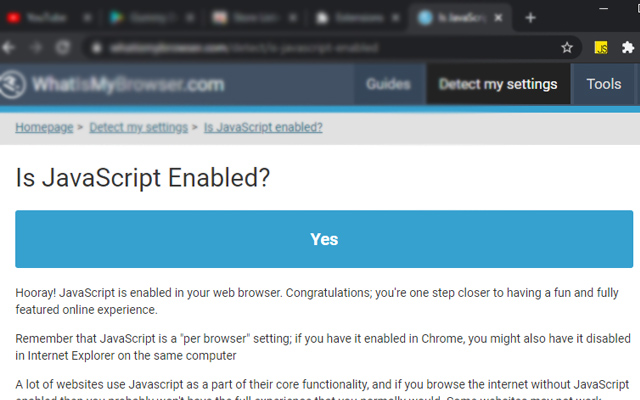
Easy way to turn ON/OFF website's JavaScript
Features:
Install and open.
- After installing the extension. You click on the extension icon to turn javascript on/off for a specific webpage.
What is javascript?
JavaScript is a programming language that enables you to create interactive and dynamic websites. It's used by web developers to make their websites interactive, such as by adding buttons that change the colour or size of an image when clicked on.
What are the benefits of the javascript programming language?
JavaScript lets you add interactivity to your website, which can be useful for creating animations, games and other experiences.
It's also used by many websites across the internet and can be used with HTML to create more complex web applications.
With this software extension, you can turn the javascript on/off for any single webpage by simply clicking on the software extension icon.
So how can you learn programming/learn how to code? There are lots of ways:
You can take formal courses like Codecademy, Treehouse or Udacity which will teach you the basics of programming in a structured way. You'll probably be taught some basic HTML and CSS along with JavaScript (or maybe Python) but they'll get you started on learning how websites work behind the scenes.
You can also find tons of free resources online like Code School that cover all sorts of programming languages including Ruby on Rails, Python and Javascript among others.
First, you need to know what programming language to learn. If you are a beginner, it is best to learn Python or JavaScript.
Python is a language that is easy to learn and use. It has a syntax that resembles English making it very easy for programmers with little experience in programming to pick up quickly. It is also used by many major websites such as Google, YouTube and Dropbox.
JavaScript is another great language for beginners because of its popularity on the web. If you have ever used Google Maps or Gmail, then you have already used JavaScript in some capacity.
Once you have decided which language you want to learn first, head over to Code Academy and take their free courses on Python or JavaScript. Once you have completed these courses, I would recommend moving onto something more advanced like C++ or Java (depending on your interests).
Code Academy has many other resources available on their website including more advanced tutorials as well as videos with interviews from some of the most notable programmers in the world (such as Mark Zuckerberg).
Tutorial:
- Install the Extension
- After installing the extension, click on the icon on the toolbar.
Sponsored Link: